Design Custom T-Shirts: No Experience Needed
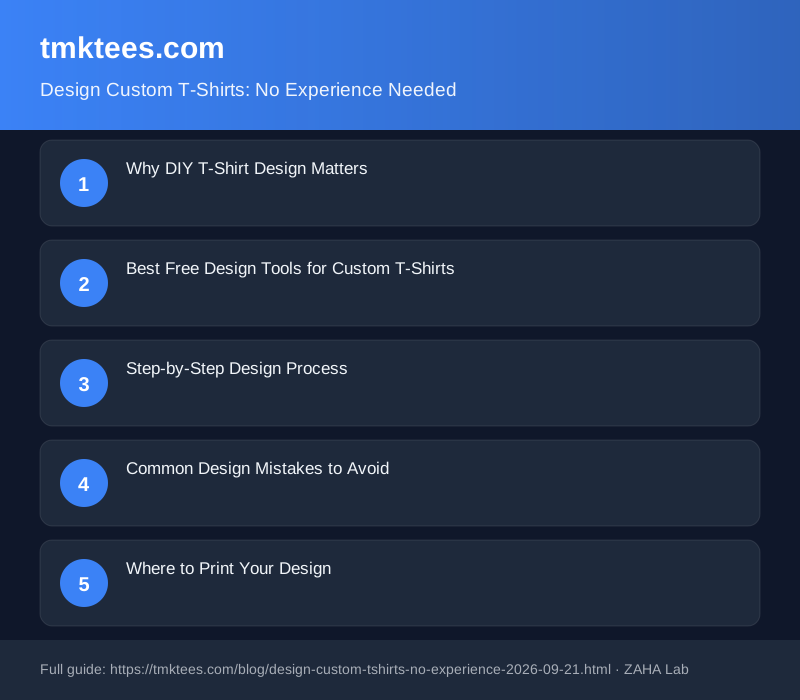
Did you know that 73% of first-time t-shirt buyers feel intimidated by design software? You don't need Photoshop skills or a graphic designer budget to create stunning custom t-shirts. With the right tools and a few simple principles, anyone can design professional-looking tees in minutes.
Why DIY T-Shirt Design Matters
Creating your own custom t-shirt design gives you complete control over your brand identity. Whether you're starting a business, planning a group event, or building team spirit, custom t-shirts are a tangible way to express your message. The beauty of modern design tools is that you don't need years of training—just clarity about what you want to create.
Designing your own tees also saves money. Professional designers charge £150–500+ per design, while free and affordable tools cost nothing to a few pounds per month. Plus, you maintain full creative control and can iterate quickly.
Best Free Design Tools for Custom T-Shirts
Canva is the gold standard for beginners. It offers thousands of t-shirt templates, drag-and-drop editing, and a library of fonts and images. Most features are free; Canva Pro (£100 per year) unlocks premium templates and brand kits if you're designing multiple shirts.
Printful's Design Tool and Merch by Amazon both offer free, integrated design editors specifically built for apparel. These are excellent because they show you exactly how your design will look on an actual t-shirt, eliminating guesswork.
Affinity Designer (one-time purchase of £70) is ideal if you want more professional control without a subscription. It's more powerful than Canva but has a steeper learning curve. For those serious about creating custom apparel regularly, consider investing in a quality design tablet and stylus to hand-draw elements.
Step-by-Step Design Process
1. Start with Your Concept
Before opening any software, write down: What's the main message? Who's wearing this? What colours resonate with your audience? A clear concept prevents endless tweaking and keeps your design focused.
2. Choose Your Colour Palette
Limit yourself to 2–3 main colours plus black or white. Too many colours look chaotic and cost more to print. Use contrast to make text and logos pop. If you're ordering from quality blank t-shirts, consider how your design interacts with the garment colour.
3. Keep Typography Simple
Use one or two fonts maximum. Pair a bold headline font with a clean, readable body font. Avoid script fonts for small text—they're beautiful but illegible when printed small. Ensure text is at least 8pt for screen printing and 10pt for direct-to-garment.
4. Test Your Design at Actual Size
Canva and similar tools let you preview designs on actual garment mockups. Check how it looks from arm's length. If you're squinting to read it, so will your customers.
5. Export in the Right Format
Most t-shirt printers accept PNG (with transparent background) or PDF. Request file specifications from your printer—resolution, colour mode (RGB vs CMYK), and file size limits vary. When in doubt, export at 300 DPI for crisp prints.
Common Design Mistakes to Avoid
Overcrowding: "More detail" doesn't mean "better." Whitespace (empty space) makes designs breathe and appear more professional. Think of high-end fashion brands—they're usually minimal, not maximal.
Ignoring Print Limitations: Tiny details, thin lines, and very light colours can disappear or bleed during printing. Screen printing needs bold lines; direct-to-garment can handle fine detail but at higher cost.
Wrong Colour Mode: If your printer asks for CMYK and you send RGB, colours may not match. Ask your printer upfront, then set your design software to that mode from the start.
Poor Placement: Designs that wrap awkwardly around seams or don't centre well look unprofessional. Preview on an actual garment model whenever possible.
Where to Print Your Design
Once your design is ready, you have options. Print-on-demand services like Printful and Merch by Amazon handle everything—you upload, they print and ship. Ideal for small batches or testing designs. Local screen printers offer bulk discounts and faster turnaround for 50+ units. Compare quotes from at least two providers; pricing and quality vary widely.
For custom hoodies and streetwear, follow the same design principles but test on the larger canvas hoodies provide. Oversized designs work beautifully on hoodies; cramped designs look cheap.
Real-World Example: A Simple Band T-Shirt
Imagine you're printing t-shirts for a local band. The design: band name in a bold sans-serif font, a simple geometric icon above it, and a URL in small text at the bottom. Limit to two colours (black and gold). The design takes 15 minutes in Canva, exports as PNG with a transparent background, and prints beautifully on black tees. Total cost to design: £0. Total cost to print 50 units: £4–8 each depending on your printer. Result: professional-looking merch for a fraction of hiring a designer.
Quality Blank T-Shirts
Premium 100% cotton blanks in various colours and sizes—the foundation of any great custom tee.
View on Amazon UKCustom Hoodies for Branding
Heavyweight hoodies perfect for streetwear and team uniforms. Ideal canvas for bolder designs.
View on Amazon UKDesign Tablet & Stylus
Take your designs to the next level with hand-drawn elements using a professional-grade tablet.
View on Amazon UKFAQ
Can I use images from Google Images in my t-shirt design?
No. Google Images results are copyrighted unless marked for reuse. Use royalty-free sources like Unsplash, Pexels, or Pixabay instead. Canva's library is also licensed for commercial use.
What's the difference between screen printing and direct-to-garment?
Screen printing uses mesh screens and ink, ideal for bold designs and bulk orders; it's cheaper per unit at scale (50+) but requires upfront setup costs. Direct-to-garment (DTG) prints digitally like an inkjet, perfect for detailed designs and single orders, but costs more per shirt and has colour limitations on dark garments.
What file size should my design be?
Ask your printer for specifications, but typically 2–5MB is safe. Resolution should be 300 DPI for best quality. If your printer uses your artwork in lower resolution, they'll let you know.
Can I sell t-shirts with designs I found online?
Only if you have rights to the image. Original work, licensed stock images, or public domain sources are safe. Copying designs without permission opens you to legal trouble. When in doubt, create original designs or commission a designer.
How much should I charge for custom t-shirts?
Calculate: blank shirt cost + printing cost + overhead (15–20%) + profit margin (30–50%). A £5 blank printed for £3 with £2 overhead should sell for £15–18 retail. Bulk orders allow lower per-unit pricing; charge more for small runs.